AI Art Generator
Turn an idea into finished digital art in seconds, then bring it to motion with cinematic AI video.
June 16, 2026
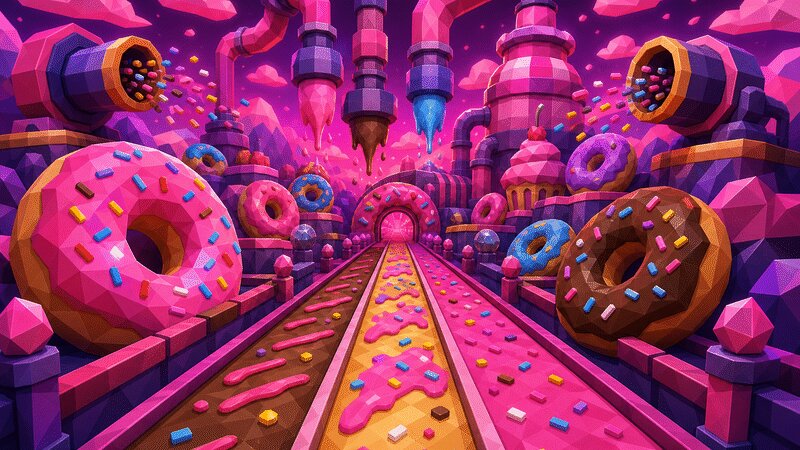
An AI art generator turns a written prompt into original digital artwork — illustrations, paintings, concept art and stylized scenes — without manual drawing. With eaxy you describe an idea, choose a style, and get finished pieces in seconds that you can refine, upscale to 4K, or animate into video.
What an AI art generator is
At its core, an AI art generator interprets language as imagery. You write a description — subject, mood, palette, medium — and the model renders it. The result is not a stock photo or a filter on an existing picture; it is a new image generated to match your words.
That makes it a creative tool for anyone with an idea but no time, software or training to execute it: marketers, writers, hobbyists, designers blocking out concepts, and creators who just want something striking to post.
How eaxy generates art
eaxy is built so you direct the look instead of memorizing prompt tricks:
- 30+ curated style packs — painterly, cinematic, anime, product, fashion, social and more.
- State-of-the-art diffusion — sharp, coherent images with real lighting and detail.
- 4K exports — fit for print, posters and large screens.
- Kling 3 video — animate any frame into a short, cinematic clip.
- Multilingual prompting — write in your own language.
If you want a specific genre, the AI anime generator focuses on anime and manga, while text-to-image covers the fundamentals of prompting from scratch.
How to make AI art with eaxy
- Create your account and open the create studio.
- Pick a style pack that matches the medium you want — watercolor, oil, flat vector, cinematic.
- Write a descriptive prompt: subject, setting, mood, color and lighting.
- Generate a batch and compare directions.
- Refine the prompt, upscale your favorite to 4K, and optionally animate it with Kling 3.
Writing prompts that produce great art
Think like an art director. A useful prompt names four things: the subject, the composition (close-up, wide, symmetrical, rule-of-thirds), the palette (warm earth tones, cool neon, muted pastels), and the medium or mood (gouache, charcoal, dreamlike, gritty).
Add specificity where it matters and leave room where it doesn't. Over-stuffed prompts can muddy a result; a clear, vivid sentence usually beats a wall of keywords. Generate a few variations, keep what works, and adjust one variable at a time so you learn what each change does.
Use cases for AI art
- Social content — original visuals that stand out in a feed.
- Blog and article headers — bespoke art instead of recycled stock.
- Posters and prints — high-resolution pieces for walls or merch, see the AI poster maker.
- Concept and mood boards — fast visual exploration before a bigger project.
- Album and book art — striking covers and key visuals.
- Animated pieces — turn a still into a moving scene for reels and intros.
Bring your art to life with video
The feature that sets eaxy apart from a plain image tool is motion. Once a piece looks right, eaxy can animate it with Kling 3 — a slow zoom, a parallax drift, a cinematic pan — turning a static illustration into a short clip you can share. You stay in one workflow: generate the image, perfect it, then add movement.
This is ideal for creators who want scroll-stopping content. A poster becomes a teaser; a portrait becomes a loop; a landscape becomes an establishing shot.
Start creating
Great art starts with an idea, not a toolset. Describe yours, choose a style, and let eaxy render it — then push it to 4K or animation when it lands. Start creating with eaxy and make your first piece today. For more directions, explore the AI anime generator and the prompting basics on the learn hub.
Frequently asked questions
What kinds of art can an AI art generator make?+
Illustration, concept art, painterly scenes, vector-style flats, surreal collage, watercolor, oil-paint looks and more — eaxy ships 30+ style packs so you can pick a direction fast.
Do I own the art I create?+
On Pro and above, exports include a commercial license, so you can use your art in products, content and client work.
How high resolution are the exports?+
eaxy exports up to 4K, which is large enough for posters, prints and detailed digital pieces.
Can I animate the art?+
Yes — eaxy uses Kling 3 to turn a still into a short cinematic video clip with realistic camera motion.
Do I need any art skills?+
No. You describe what you want in plain language and refine from there; a reference image is optional.
Make it with eaxy
Describe anything and generate stunning images in seconds - then bring them to motion with the best AI video models.