AI Anime Generator
Describe a character or scene and get anime-style art in seconds — then bring it to life with cinematic AI video.
June 16, 2026
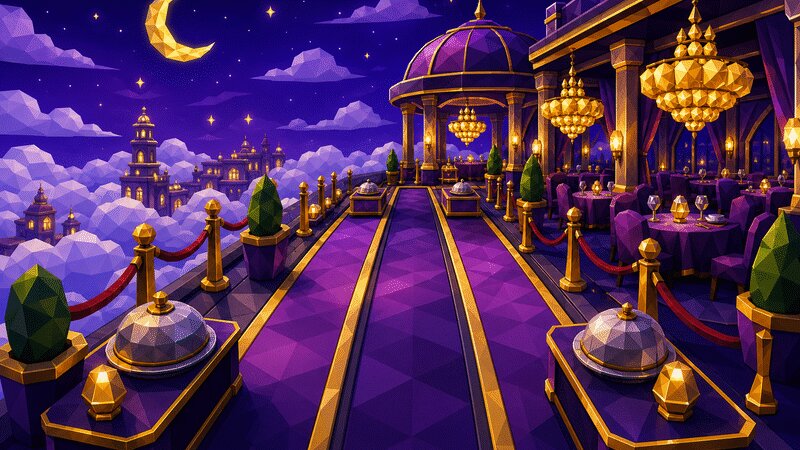
An AI anime generator turns a written description into anime or manga-style artwork — characters, scenes and key art — without you needing to draw. With eaxy you type what you want, pick an anime-leaning style, and get polished frames in seconds that you can refine, upscale to 4K, or animate.
What an AI anime generator does
Anime is a visual language: clean lineart, expressive eyes, dramatic lighting and bold color blocking. An AI anime generator reads your prompt and renders that language for you. Instead of hunting for a commission or learning years of illustration, you describe the character, mood and setting, and eaxy produces a finished image you can iterate on.
It is useful for character design, story key art, profile pictures, thumbnails, fan-style tributes, manga panels, and concept boards before a bigger project.
How eaxy makes anime art
eaxy pairs state-of-the-art diffusion models with curated style packs, so you are steering the look rather than fighting the model. A few things make it fast:
- 30+ style packs — including portrait, cinematic, social and anime-flavored looks you can lean on instead of writing long prompts.
- 4K exports — crisp enough for posters, prints and large thumbnails.
- Kling 3 video — animate any still into a short, cinematic clip from almost any camera angle.
- Multilingual prompting — describe your scene in your own language.
- Reference images — guide character consistency across a set.
If you want a broader palette beyond anime, the AI art generator page covers general illustration, and the AI character generator page is built for repeatable cast members.
How to generate anime art with eaxy
- Create a free account and open the create studio.
- Pick an anime-leaning style pack so the model starts in the right visual zone.
- Write a clear prompt: subject, outfit, expression, setting and lighting (for example, a calm swordswoman at dusk, soft rim light, city rooftops).
- Generate a batch, then refine the prompt to nudge color, framing or mood.
- Upscale your favorite to 4K, and optionally animate it into a short clip with Kling 3.
Tips for better anime prompts
Strong prompts read like a director's note, not a keyword dump. Name the character traits (hair, eyes, outfit), the emotion, the shot (close-up, wide, low angle), and the lighting (golden hour, neon, overcast). Add a genre cue — slice-of-life, mecha, fantasy — to steer the whole scene.
When you want a series of images of the same character, lock a short identity phrase and a reference image, then change only the action or setting between generations. This keeps the face and outfit stable while the story moves.
Avoid stacking contradictory styles in one prompt. Pick one direction, get it right, then branch.
Use cases for AI anime art
- Profile pictures and avatars — a custom anime portrait for socials or gaming.
- Story and comic key art — establish your world before drawing panels.
- Thumbnails — eye-catching frames for video and streams.
- Character sheets — front, side and expression studies for a cast.
- Posters and prints — high-resolution pieces for fan projects or merch.
- Animated shorts — turn a still into motion with image-to-video workflows and Kling 3.
From still frame to moving scene
The biggest upgrade over a plain image tool is motion. Once you have a key-art frame you love, eaxy can animate it — a slow push-in, a hair-in-the-wind loop, a dramatic camera pan — using Kling 3. That turns a single portrait into a shareable clip for reels, intros or trailers, without a separate app.
Start with a still, get the look exactly right, then let the video step add atmosphere. It is the difference between a poster and a scene.
Get started
Anime art should feel like yours, not a template. Describe your character, choose a style, and let eaxy handle the rendering — then push it to 4K or animation when it clicks. Start creating with eaxy and design your first character today. To explore other looks, browse the AI art generator and learn prompt fundamentals on the learn hub.
Frequently asked questions
What anime styles can eaxy create?+
You can aim for shonen action, soft shoujo, retro 90s cel, modern flat-color, chibi, dark seinen and more by combining a prompt with one of the anime-leaning style packs.
Can I keep the same character across images?+
Yes — reuse a reference image and a consistent description to keep hair, outfit and face recognizable across a set, which is handy for comics or character sheets.
Can I turn anime art into video?+
Yes. eaxy uses Kling 3 to animate a still into a short cinematic clip, so a key-art frame can become a moving scene.
Is the art usable commercially?+
On Pro and above, exports come with a commercial license, so you can use them in projects, merch mockups and content.
Do I need to draw or upload anything?+
No. You can start from a pure text prompt, though a reference image helps when you want a specific look.
Make it with eaxy
Describe anything and generate stunning images in seconds — then bring them to motion with Kling 3.