AI Image Prompting Guide
Master the craft of prompting — a repeatable formula and concrete examples that turn vague ideas into striking AI images.
June 16, 2026
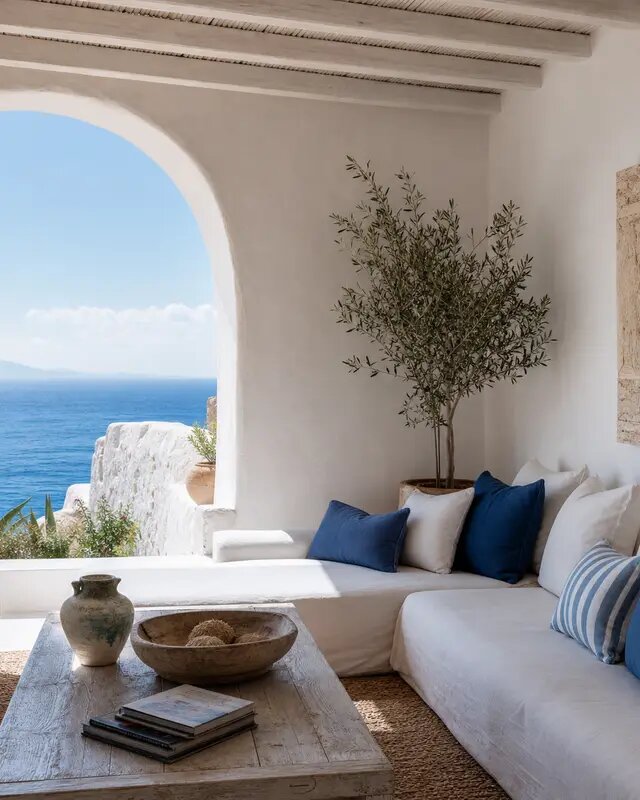
AI image prompting is the skill of describing a picture so precisely that a text-to-image model renders exactly what you pictured. A good prompt names the subject, the setting, the lighting, the composition and the style — and a repeatable formula gets you there every time.
The prompt formula
Most strong prompts follow the same skeleton. Memorize this and you can build a usable prompt for almost any image:
[Shot type] of [subject] in [setting], [lighting], [mood/details], [style].
Worked example: "Wide cinematic shot of a lighthouse on a rocky cliff during a storm, dramatic stormy light breaking through clouds, crashing waves and sea spray, photorealistic." Every clause does a job, and none of them fight each other.
You can lean on style packs to handle the final clause automatically. In the create studio, picking a style means you can spend your words on subject and scene instead of technical camera language. When you want to practice, start creating with eaxy and run the same idea through different formulas.
The building blocks in detail
- Subject — the star of the frame. Be specific: not "a car," but "a vintage 1960s convertible, deep red."
- Setting — where it lives. "On an empty desert highway at golden hour."
- Lighting — the mood engine. "Soft window light," "harsh midday sun," "neon city glow," "candlelit."
- Composition — how it's framed. "Close-up," "wide establishing shot," "top-down flat lay," "low angle."
- Style — the overall look. "Photorealistic," "oil painting," "studio product photo," "anime."
- Extras — texture and atmosphere. "Shallow depth of field," "film grain," "morning fog."
Think of these as dials. Turn one at a time and watch how the image responds — that's how you learn what each word actually does.
Examples: weak versus strong
- Weak: "a coffee shop." Strong: "Cozy corner coffee shop interior, warm afternoon light through large windows, steam rising from a latte on a wooden table, shallow depth of field, photorealistic."
- Weak: "a sneaker." Strong: "Studio product shot of a white running sneaker on a seamless light-grey background, soft even lighting, slight reflection, crisp and clean, ecommerce style."
- Weak: "a warrior." Strong: "Low-angle portrait of a battle-worn warrior in weathered armor, dramatic rim lighting, smoke in the background, cinematic, photorealistic."
Notice the pattern: each strong version answers who, where, how it's lit and what it should look like.
Steps to refine a prompt
- Write the bare scene: subject + setting.
- Generate once to see the model's default interpretation.
- Add lighting to set the mood.
- Add composition to control the framing.
- Apply or swap a style pack for the overall look.
- Add one or two texture details to finish.
- Generate a batch of variations and keep the best.
Change one element at a time. If you rewrite the whole prompt every round, you'll never learn which word did what.
Advanced techniques
- Weighting attention. Lead with what matters most; models pay more attention to the front of a prompt.
- Negative prompts. State what to avoid: "no text, no logos, no distorted hands."
- Reference images. Guide the look with an uploaded image when words aren't enough — useful for matching an existing brand style.
- Aspect ratio as a creative choice. A 9:16 frame composes differently from 16:9; pick the shape that suits the subject. See best AI image styles in 2026 for how styles and ratios pair up.
- Consistency by reuse. Once a phrase produces the look you want, save it and reuse it across a set.
Mistakes to avoid
- Stuffing many subjects and moods into one prompt — pick one scene.
- Contradicting yourself ("bright and moody and minimalist and busy").
- Relying on adjectives like "beautiful" or "amazing" — they tell the model nothing concrete.
- Forgetting the style entirely, then wondering why it looks flat.
Where to go next
Prompting is the foundation for everything else. Once you're comfortable, apply it to specific jobs — see how to make AI product photos — or extend a great still into motion with the photo-to-video guide. To put the formula to work right now, start creating with eaxy.
Frequently asked questions
What is the most important part of an image prompt?+
A clear subject and setting. Everything else — lighting, lens, mood, style — refines a scene the model can already picture.
How long should an AI image prompt be?+
Long enough to be specific, short enough to stay focused. One or two well-structured sentences usually beat a paragraph of competing ideas.
Should I use commas or full sentences?+
Both work. Sentences read naturally and keep relationships clear; comma-separated keywords give you tight control over individual attributes.
Why do my images look generic?+
Usually a vague prompt or a mismatched style. Add specific lighting and composition, then pick a style pack that fits the look you want.
Do negative prompts help?+
They can. Naming what you do not want — 'no text, no watermark, no extra fingers' — nudges the model away from common artifacts.
Make it with eaxy
Describe anything and generate stunning images in seconds — then bring them to motion with Kling 3.