AI Visuals for Ecommerce
Turn one product shot into a full storefront of photos, lifestyle scenes, ad creatives, and short clips — without chasing models.
June 16, 2026
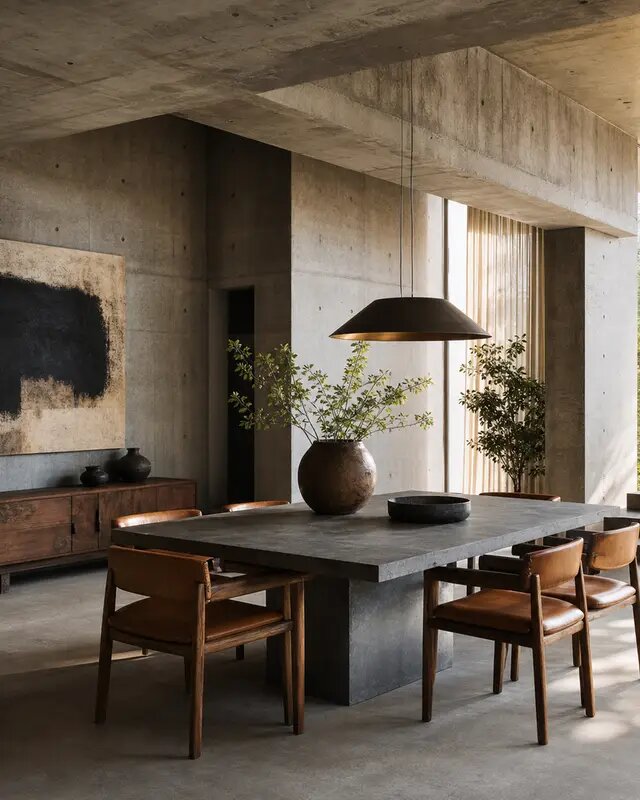
eaxy turns a single product photo into everything an online store needs: clean pack shots, lifestyle scenes, scroll-stopping ad creatives, and short product videos. You describe the outcome you want and Smart Routing sends each task to the model best suited for it, then keeps that lineup current so you never have to chase the newest release. On Pro and above, every visual ships with a commercial license at up to 4K — ready for Shopify, Amazon, and Etsy.
Why ecommerce stores use eaxy
Product visuals are the single biggest lever on a listing's conversion rate, but most stores can't afford a studio shoot for every SKU, season, or ad test. eaxy closes that gap:
- One photo, many assets — a phone shot becomes a catalog of pack shots, lifestyle scenes, and ads.
- No model-chasing — Smart Routing picks the right engine per task; you focus on the product.
- Marketplace-ready output — up to 4K, in square, portrait, and landscape, with a Pro+ commercial license.
- Fast iteration — test five backgrounds or three ad angles before lunch instead of booking a shoot.
Product photos that look studio-shot
For clean catalog imagery, eaxy routes to SOTA diffusion models (Seedream, Flux, Imagen-class, and GPT-image-class) that excel at crisp edges, accurate materials, and true-to-life color. Use AI product photography to:
- Drop products onto seamless white for marketplace compliance.
- Swap backgrounds — marble, wood, linen, concrete — without re-shooting.
- Fix lighting and shadows so a phone snap reads as a softbox setup.
If you'd rather start from a written brief than an uploaded photo, text-to-image builds a scene from your description alone.
Lifestyle scenes that sell the feeling
Buyers want to picture the product in their life. Describe the setting — "ceramic mug on a sunlit breakfast table, soft morning light, shallow depth of field" — and eaxy places your product in context. Good lifestyle prompts name the environment, the light, the mood, and the framing; our AI image prompting guide walks through the structure that gets consistent results across a catalog.
Ad creatives built for the feed
Paid social rewards variety. The AI ad creative generator helps you spin up multiple angles for one product — a benefit-led hero, a flat-lay with callouts, a bold-background promo — sized for each placement. Because you can test cheaply, you find the winning creative before spending big on media.
- Generate square (1:1), portrait (4:5, 9:16), and landscape (16:9) in one session.
- Try several hooks and palettes per product to feed A/B tests.
- Keep brand color and type space consistent across the set.
Short product videos from a still
Motion lifts product-page engagement and stops the scroll. With image-to-video you upload a product still and eaxy routes it to a video model matched to the shot — Kling 3.0 or Veo 3.1 for clean, controlled camera moves, Seedance 2.0 or Hailuo 02 for lively lifestyle motion, Wan 2.5, Ray 2, or Runway when the brief calls for them. Typical clips:
- A slow 360-style rotate for a hero product.
- Steam rising from a hot dish, condensation on a cold drink.
- Hands picking up, opening, or using the product.
How to create ecommerce visuals with eaxy
- Create your account and pick a plan — choose Pro or higher for the commercial license.
- Upload a product photo, or open the image generator and write a description of the scene you want.
- Choose the outcome — white-background pack shot, lifestyle scene, or ad creative — and set your aspect ratio.
- Let Smart Routing select the best-fit model and generate; refine the prompt and regenerate variations as needed.
- To add motion, send a finished still into image-to-video for a short clip.
- Download at up to 4K and publish to your listings, ads, and social channels.
Keep it consistent across the catalog
A storefront looks professional when its visuals feel like a set. Reuse the same background, lighting language, and framing notes from product to product, and anchor your palette with a reference image. Smart Routing sends similar tasks to the same model class, so your pack shots and lifestyle scenes stay coherent as the catalog grows.
Ready to build your store's visual library? Start with eaxy or compare plans to find the tier with the commercial license your storefront needs.
Frequently asked questions
Can I use eaxy visuals on Shopify, Amazon, and Etsy listings?+
Yes. On Pro and above your generations carry a commercial license, so you can use the images and videos on product listings, ads, and social. Starter is for personal and evaluation use only, so upgrade before you publish to a paying storefront.
Do I need to know which AI model to choose?+
No. You describe the outcome — a white-background pack shot, a kitchen lifestyle scene, a scrolling ad — and eaxy's Smart Routing sends each task to the best-fit model. The lineup stays current behind the scenes, so you never have to track model releases yourself.
What resolution do I get for marketplace listings?+
eaxy generates up to 4K, which clears Amazon's 1600px-plus zoom requirement and Shopify's high-DPI product galleries with room to crop. You can render square, portrait, and landscape for listings, banners, and ad placements.
Can I make a short product video from a single photo?+
Yes. Upload your product image and eaxy routes it through a video model such as Kling 3.0, Veo 3.1, or Seedance 2.0 to produce a short clip — a slow rotate, a steam rise, a hands-on demo — sized for product pages and social feeds.
How do I keep my brand look consistent across a whole catalog?+
Reuse the same prompt structure, background, and lighting notes across products, and lock a palette or reference image. Because eaxy routes similar tasks to the same model class, your pack shots and lifestyle scenes stay visually coherent across the catalog.
Make it with eaxy
Describe anything and generate stunning images in seconds - then bring them to motion with the best AI video models.