Watercolor Art Generator
Describe a subject and get a delicate watercolor painting in seconds — loose washes, soft edges and a hand-painted feel, ready to print or animate.
June 16, 2026
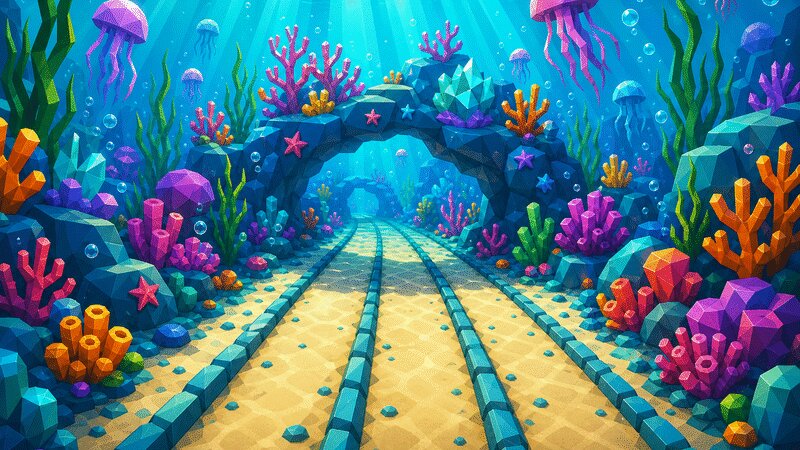
A watercolor art generator turns a written description into a painting that looks made with pigment and water on paper — translucent washes, soft bleeding edges and gentle paper texture. With eaxy you describe the subject and mood, choose a painterly style, and get a hand-painted-feeling image in seconds that you can refine, upscale to 4K or animate.
What watercolor art is
Watercolor is the most fluid of the traditional media, and its charm comes from what the artist does not control. Pigment is suspended in water and laid in transparent layers, so light passes through to the white paper beneath and bounces back — that is why real watercolor glows. Colors bloom and feather where they are still wet (wet-on-wet), edges stay soft, and granulating pigments settle into the tooth of the paper to leave a speckled texture. Crucially, the white of the page is a color too: skilled watercolor leaves areas unpainted so the work feels airy rather than filled in.
The result is a medium that reads as calm, organic and slightly imperfect — the opposite of crisp vector art. Capturing it well means embracing softness, limited palettes and breathing room.
How eaxy makes watercolor art
eaxy pairs modern diffusion models with curated style packs, so you steer the look and spend your prompt on the subject.
- 30+ style packs — painterly and illustrative looks that lean into washes and texture.
- 4K exports — crisp enough for prints, cards and packaging.
- Kling 3 video — animate a still into a softly moving painterly clip.
- Multilingual prompting — describe the subject in your own language.
- Batch generation — explore several palettes and tightness levels at once.
Looks and variations
The same generator covers a range of watercolor styles. Loose wet-on-wet is dreamy and abstract, with colors melting into one another. Botanical watercolor is tighter and observational — clean stems and labeled-illustration precision. Ink-and-wash pairs soft color with confident black linework for a sketchbook feel. Monochrome washes use one pigment for a quiet, tonal study. You can also push toward bold, saturated "splash" watercolor with energetic spatter and runs.
Use cases
Watercolor suits greeting cards and invitations, wall-art prints, book and editorial illustration, soft product and packaging design, wedding and event branding, nursery and children's art, and gentle social graphics. Because eaxy can animate the result, a still painting can become a calm moving piece for a banner or intro.
How to make one in eaxy
- Start a new image on the /create workspace.
- Pick a painterly or illustrative style pack.
- Describe the subject, then say how loose or detailed you want it.
- Add watercolor cues — "soft bleeding edges, white paper showing, visible paper texture, limited palette."
- Generate a batch, choose your favorite, and upscale to 4K.
- Optionally animate it with Kling 3.
A dependable prompt skeleton is: subject, then composition, then watercolor technique words, then palette and mood. For example: "a single peony in bloom, centered with plenty of white space, loose wet-on-wet watercolor, soft feathered edges, granulating pigment, visible paper grain, muted blush and sage palette." Naming a small palette — two or three colors plus white — keeps the wash from turning muddy, which is the most common way AI watercolor goes wrong.
Iterate by adjusting one thing at a time: more white space, looser edges, a cooler palette. When the wash feels right, upscale and print.
Ready to paint? Create an account to start generating, focus on faces with the watercolor portrait generator, or explore a richer traditional medium with the oil painting generator.
Frequently asked questions
What makes the watercolor look convincing?+
Translucent layered washes, color that blooms and bleeds at the edges, visible paper grain, and the white of the page left to breathe. eaxy's painterly and illustrative style packs steer toward those traits instead of flat digital color.
Can I control how loose or detailed it is?+
Yes. Ask for loose, wet-on-wet abstraction or for tighter botanical-style detail, and adjust how much white space and bleeding you want in the prompt.
What subjects work best in watercolor?+
Florals, landscapes, animals, portraits, food and quiet still lifes all suit the medium — anything that benefits from softness and atmosphere over hard edges.
Can I turn a watercolor into video?+
Yes. eaxy uses Kling 3 to animate a still, so washes and light can drift gently for a painterly moving piece.
Can I use the artwork commercially?+
On Pro and above, exports come with a commercial license for cards, prints, packaging, content and projects.
Make it with eaxy
Describe anything and generate stunning images in seconds — then bring them to motion with Kling 3.