Detailed guide

Connect Instagram DMs

A step-by-step guide to connecting your Instagram Business account for automated DM responses powered by your Eaxy assistant.

Clear

next buying step

Managed

setup framing

Human

handoff path stays visible

Convert your Instagram account to Business or Creator if needed
Link your Instagram to a Facebook Page through Meta Business Suite
Connect the Instagram channel in your Eaxy dashboard
Test DM automation end-to-end with a separate account
Best fit

Teams comparing options and deciding what should be part of their Eaxy setup.

Convert your Instagram account to Business or Creator if needed
Link your Instagram to a Facebook Page through Meta Business Suite
Connect the Instagram channel in your Eaxy dashboard
Test DM automation end-to-end with a separate account

Tutorials

Step 1: Prepare your Instagram account

Before connecting Instagram to Eaxy, your account must meet specific requirements set by Meta for automated messaging access. First, your Instagram account must be a Business or Creator account — personal accounts do not support the Messenger API that powers DM automation. To convert, go to your Instagram profile settings, tap Account Type and Tools, and select Switch to Professional Account. Choose Business if you are a company or brand, or Creator if you operate as an individual service provider. Next, your Instagram Business account must be linked to a Facebook Page. This is a Meta platform requirement for all third-party messaging integrations. If you do not already have a Facebook Page for your business, create one in Facebook Business Suite and then link it to your Instagram account through the Professional Dashboard in Instagram settings. Once linked, enable the option to allow access to messages in the Instagram settings under Privacy and then Messages. There is a specific toggle for allowing connected tools to access your Instagram messages — this must be turned on or the integration will fail silently. Finally, verify that your Instagram account is in good standing with no active restrictions or policy violations. Accounts with recent strikes or limited functionality may not be eligible for API access until the restrictions are resolved. This preparation typically takes fifteen to thirty minutes if you are starting from a personal account, or less than five minutes if you already have a Business account linked to a Facebook Page.

Tutorials

Step 2: Connect Instagram in Eaxy

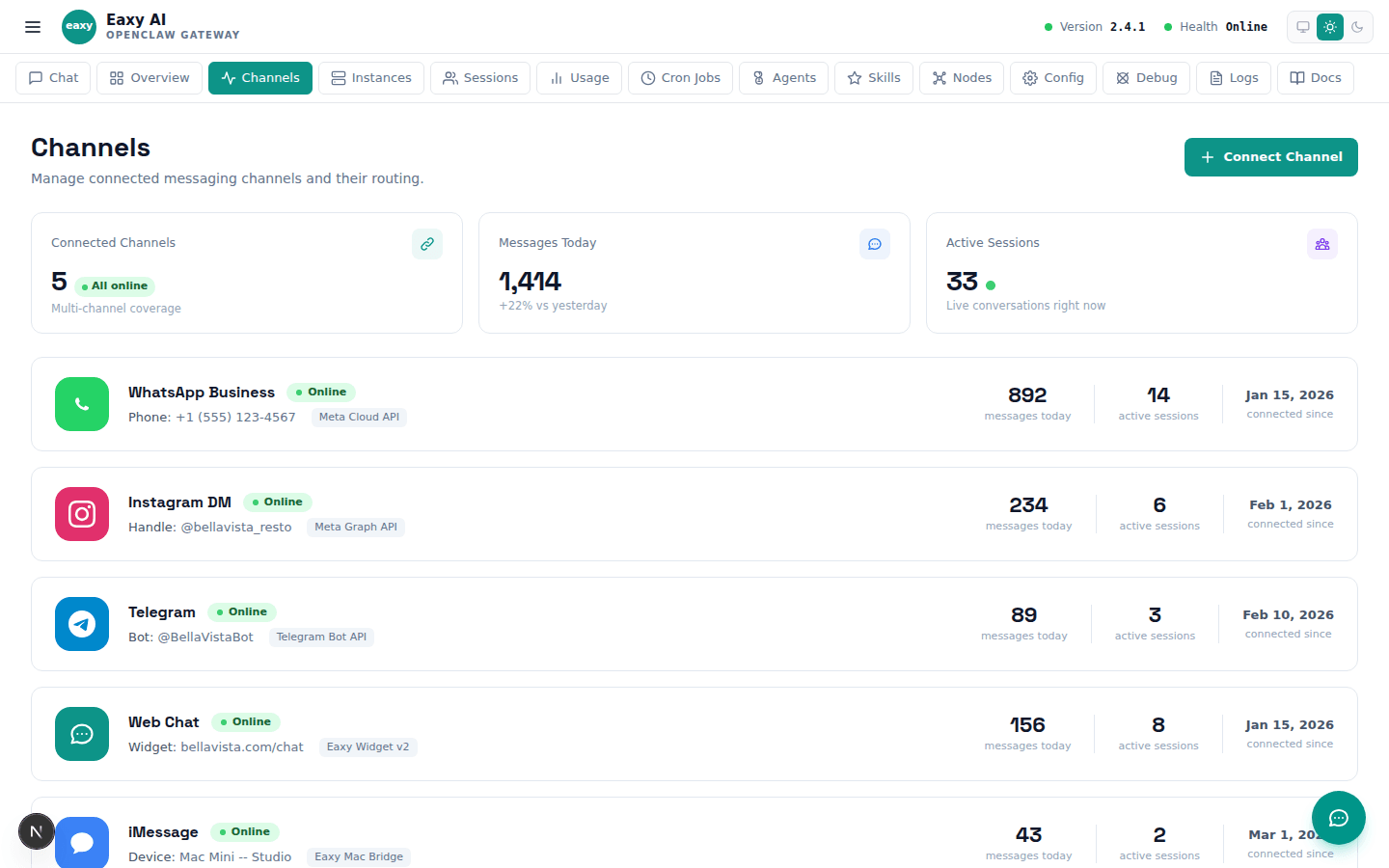
With your Instagram Business account properly prepared, the connection process in Eaxy is straightforward. Navigate to the Channels section in your Eaxy dashboard and select Instagram from the available channel options. Click Connect and you will be redirected to a Meta authorization flow. Log in with the Facebook account that manages the Page linked to your Instagram Business account. During authorization, Meta will ask you to grant specific permissions — read and send messages, access profile information, and manage pages. Approve all requested permissions because the integration needs each one to function correctly. If you skip any permission, the connection may appear successful but will fail when trying to actually read or send messages. After authorization, Eaxy will show your connected Instagram account name and status. The status should show as Active with a green indicator. If it shows as Pending or Inactive, the most common cause is a missing permission that needs to be re-granted. In that case, disconnect and reconnect the channel to trigger a fresh authorization flow. Once connected, Eaxy will immediately start receiving DMs sent to your Instagram account. The assistant uses the same knowledge base, tone, and escalation rules configured for your other channels, so there is no separate setup needed for the Instagram-specific AI behavior. However, you may want to review the greeting message since Instagram DM conversations often start differently than WhatsApp ones — customers on Instagram frequently reference posts or stories they saw, so the assistant should be prepared to handle that context.

Tutorials

Step 3: Test and monitor the integration

Testing the Instagram DM integration requires a separate Instagram account because you cannot send DMs to yourself. Ask a team member or friend to send test messages from their personal Instagram account to your business account. Start with a simple greeting and verify that the assistant responds within the expected timeframe — typically under thirty seconds. Then test increasingly specific scenarios: a question about your services, a request that should trigger the booking flow, a message that should escalate to a human, and a message in a different language if multilingual support is enabled. Pay attention to how the assistant handles Instagram-specific message types. Customers on Instagram often send voice messages, story replies, and messages that reference posts. Verify how the assistant handles these non-text inputs. For story replies, the assistant should acknowledge the context even if it cannot see the story content. For voice messages, the assistant should politely ask the customer to type their question since voice transcription may not be available on all configurations. After the initial testing, set up weekly monitoring. Unlike WhatsApp, which uses a stable API, Instagram frequently updates its messaging platform and permission requirements. These updates can sometimes break integrations without warning. A weekly test message from a separate account catches these silent failures before they result in days of missed customer messages. Check the Eaxy dashboard regularly for any warning indicators on the Instagram channel status. If you notice the integration going offline, reconnect promptly — every hour of downtime is a potential missed lead or frustrated customer who may not message again.

Practical tips

  • Always test with a separate Instagram account — you cannot DM yourself.
  • Re-check the integration weekly since Instagram API changes can break connections silently.
  • Prepare the assistant for story-reply and post-reference messages that are unique to Instagram.

Related pages

Premium rollout path

Want Eaxy to turn this into your setup?

Use the School page as the decision layer, then let Eaxy handle the operational setup and final launch path.

Managed setup, not DIY infrastructureBuyer-friendly rollout languageClear path to human escalation

Use the page above to evaluate the fit. Use the CTA below when you want Eaxy to handle the managed rollout.