Best fit
Teams comparing options and deciding what should be part of their Eaxy setup.
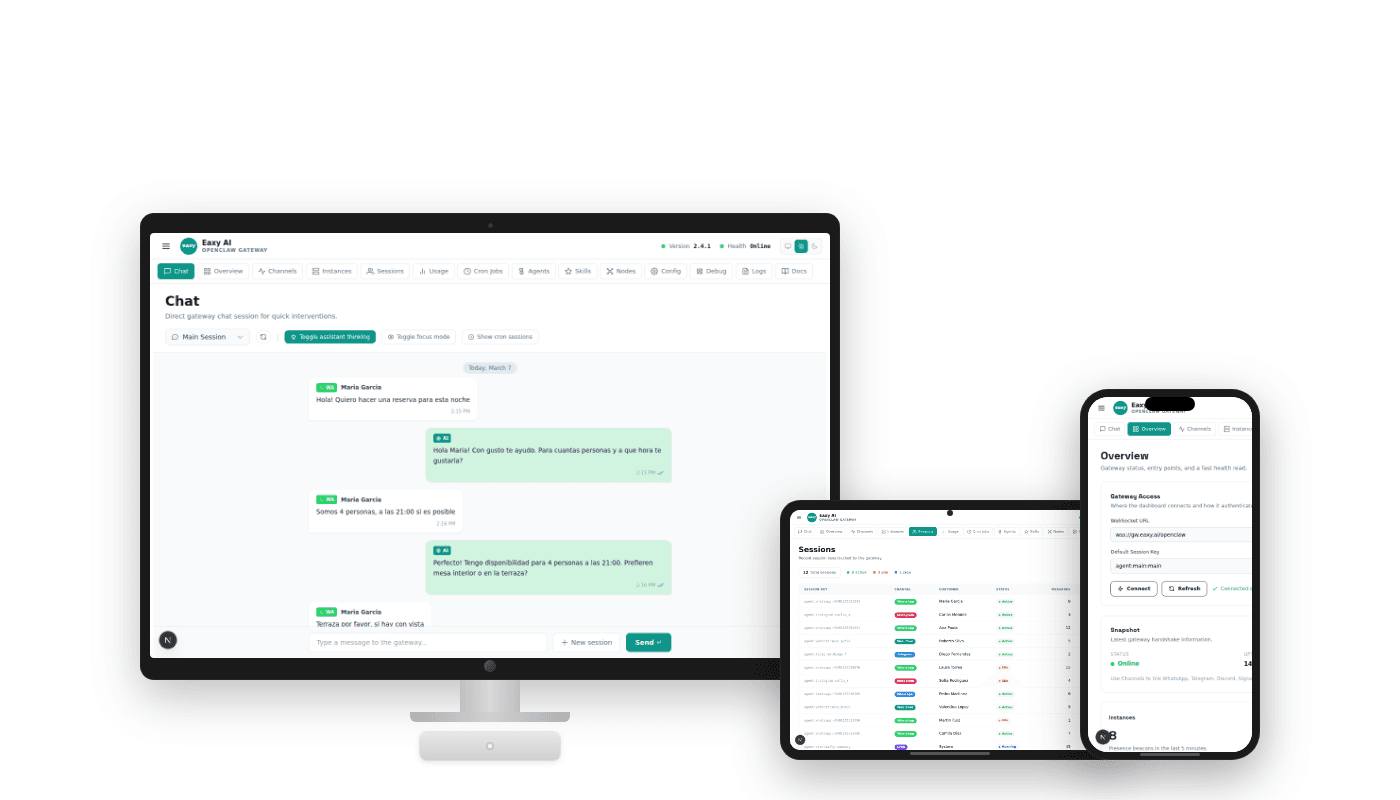
Use real interface screens
Show overview, sessions, and channels
Keep annotations non-technical
A visual page that turns abstract product copy into concrete UI proof.
Clear
next buying step
Managed
setup framing
Human
handoff path stays visible
Best fit
Screenshots
Show that Eaxy is not only a landing page promise. There is a real interface to review conversations, channels, and system activity.
Screenshots
Use simple notes that focus on outcomes: where the team reviews chats, where channels appear, and where activity is visible.
Screenshots
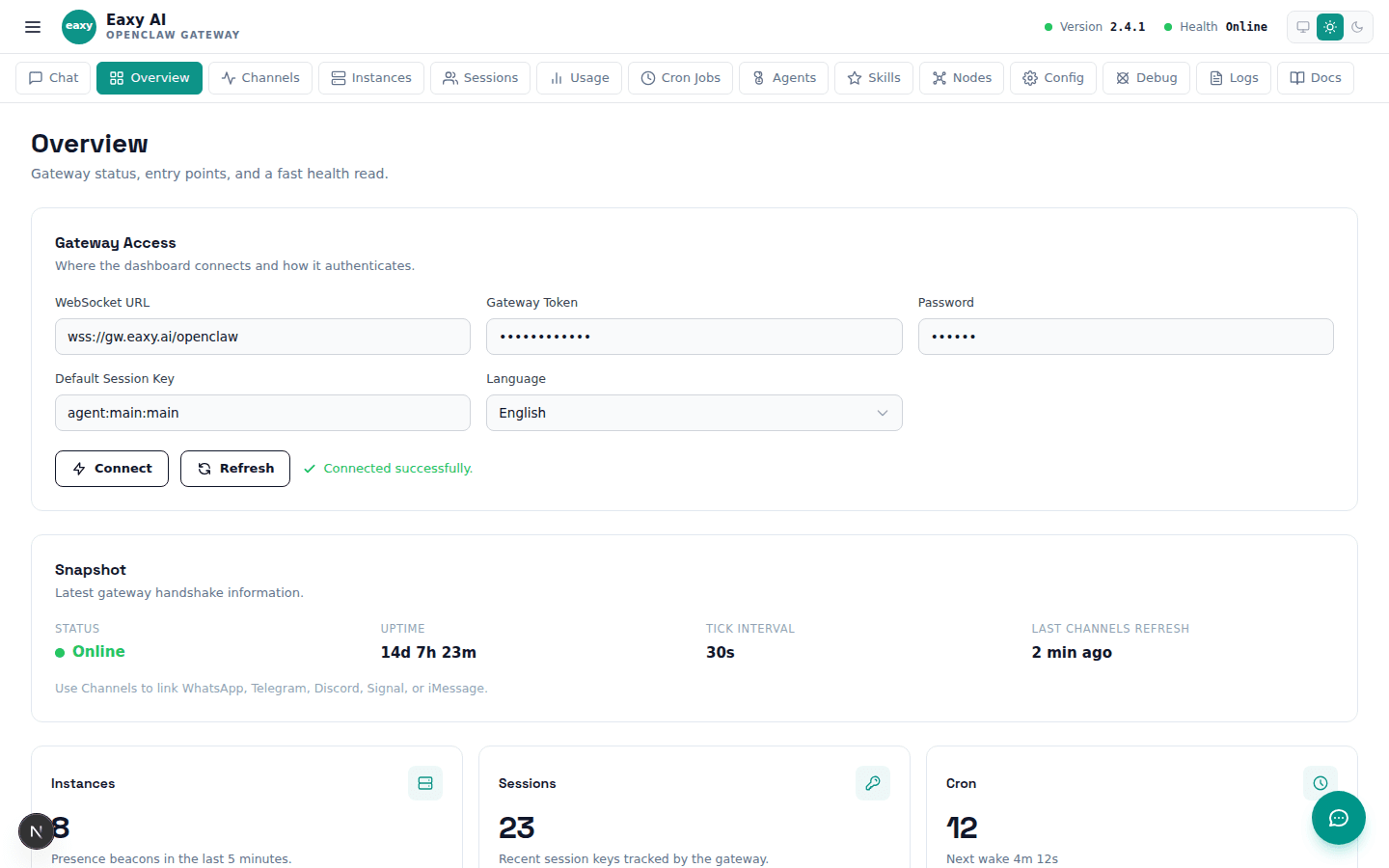
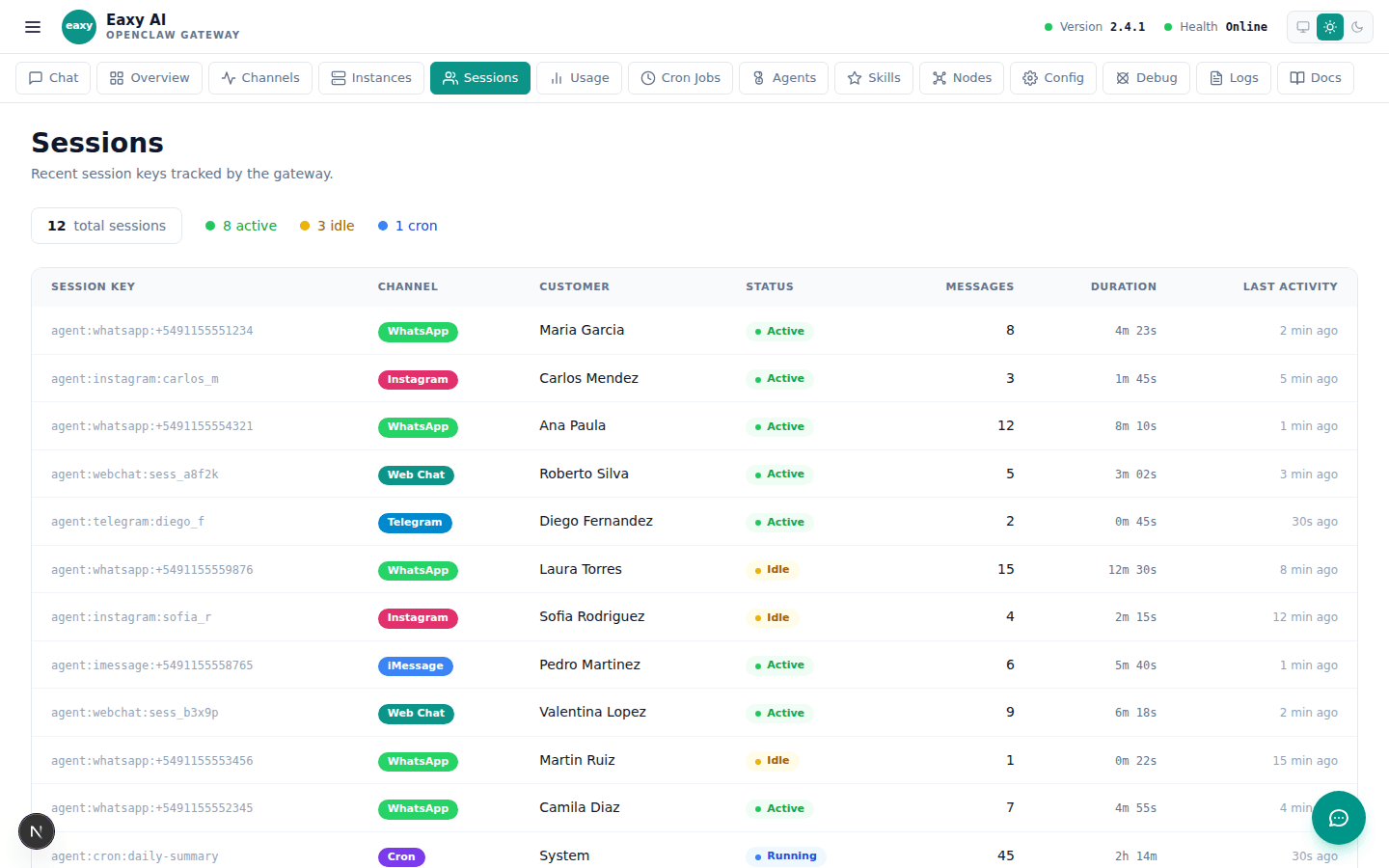
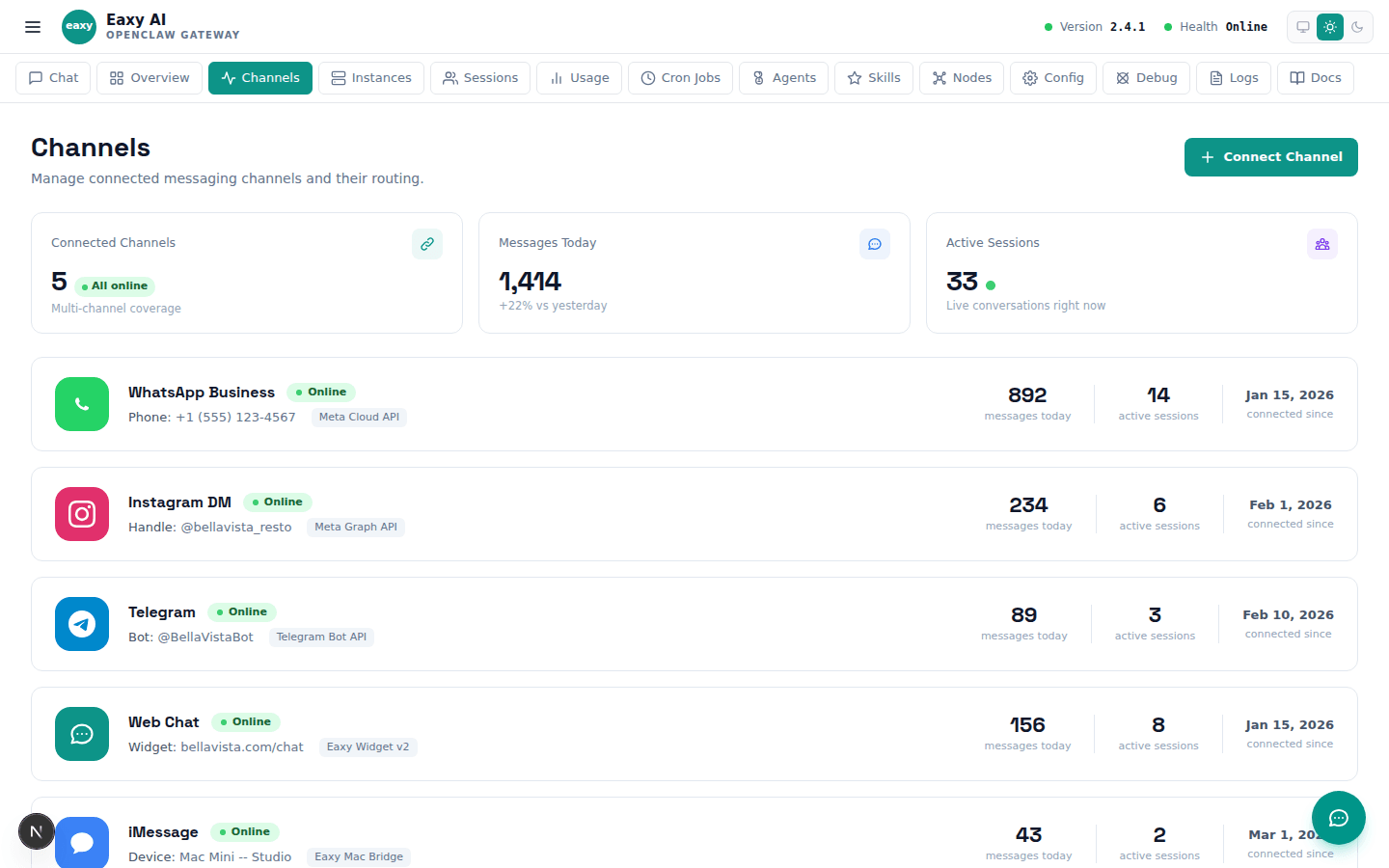

A visual tour of the information Eaxy collects before launch.
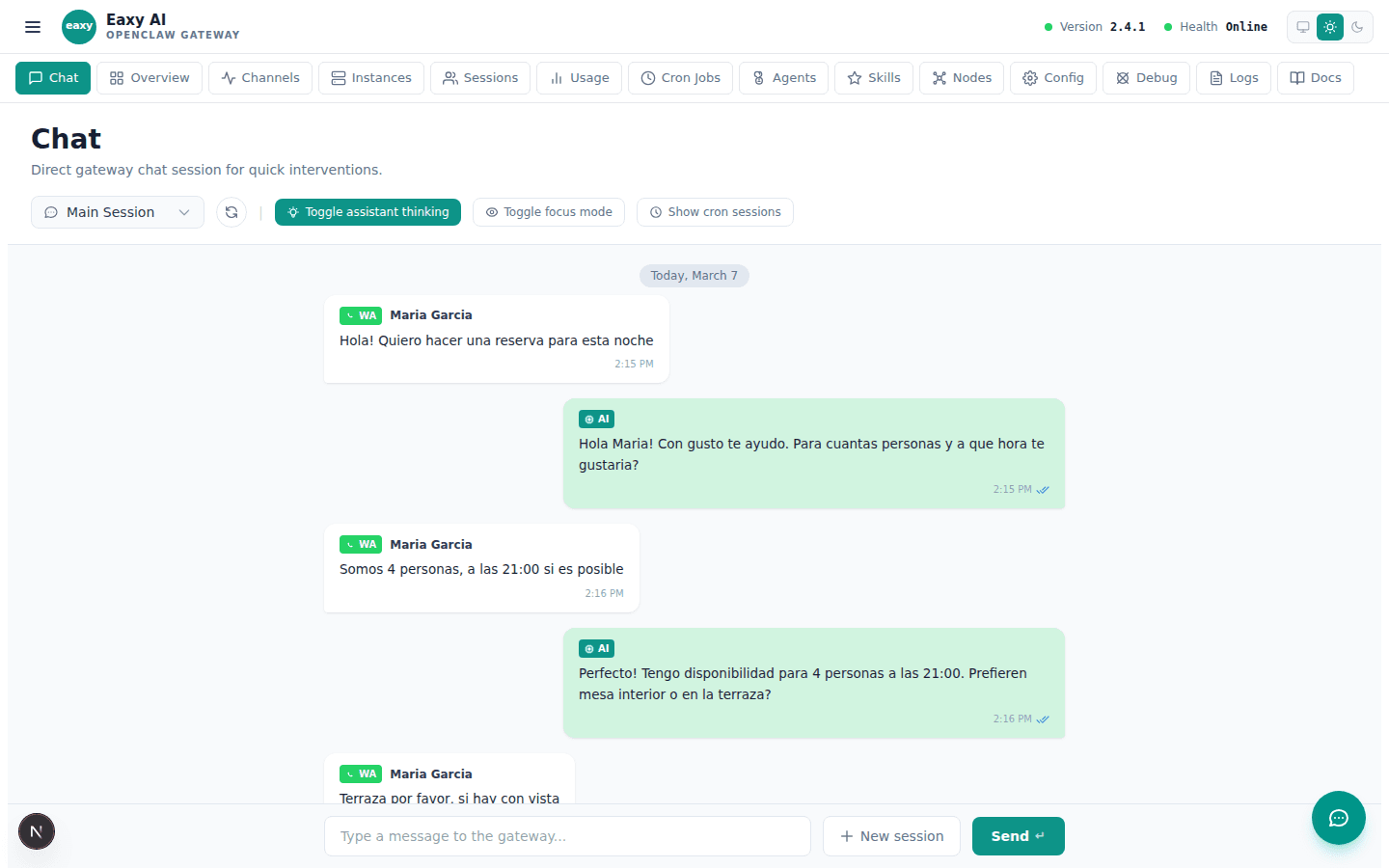
A page of examples so buyers can imagine how replies, questions, and handoffs feel.
A visual shortcut into buyer-ready support, lead, and booking setups.
Use the School page as the decision layer, then let Eaxy handle the operational setup and final launch path.
Use the page above to evaluate the fit. Use the CTA below when you want Eaxy to handle the managed rollout.