Pop Art Generator
Turn any subject into bold pop art — flat primary color, halftone dots and thick outlines — in seconds.
June 16, 2026
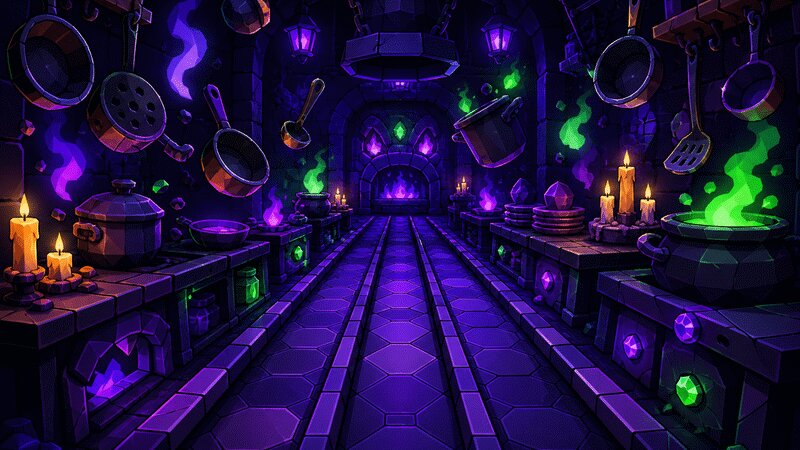
A pop art generator turns a written prompt into a bold, graphic image in the style of 1960s pop art — flat saturated color, thick black outlines and printing-press effects like halftone dots. With eaxy you describe a subject, choose a pop-art style pack, and get punchy, instantly recognizable artwork in seconds, ready to upscale to 4K or animate.
What pop art is
Pop art emerged in the 1950s and 60s as a reaction against fine-art seriousness, celebrating mass culture — soup cans, comic panels, celebrities and advertising. Its visual language is built for impact: flat blocks of primary color (red, yellow, blue), heavy black contour lines, and the mechanical textures of commercial printing.
Two signatures dominate. Roy Lichtenstein borrowed comic-book style — Ben-Day dots, speech bubbles and bold outlines. Andy Warhol used silkscreen repetition, printing the same image in clashing color schemes across a grid. Both flatten depth and crank saturation, turning ordinary subjects into loud, iconic graphics.
How eaxy generates pop art
eaxy lets you direct the style without manual illustration:
- Pop-art style packs — Lichtenstein comic-dot, Warhol color-repeat and high-contrast graphic looks.
- Flat saturated color — clean primary palettes with hard edges.
- Halftone and outline effects — Ben-Day dots and thick contours rendered into the image.
- 4K exports — crisp dots and lines for posters and prints.
- Kling 3 video — animate a flicker, a color cycle or a sliding panel.
For the comic side of the family, the comic book art generator leans into panels and action, while the flat illustration generator covers cleaner modern flat styles.
Looks and variations
Pop art flexes across its founders. The same subject — say a portrait — can become a Lichtenstein-style face with dotted shading and a speech bubble, a Warhol four-panel grid in pink/orange/green/blue, or a single high-contrast graphic with bold outlines and a couple of flat colors. You can dial the dots from subtle to dense, swap palettes between primary and neon, and choose single-image or repeated-panel compositions.
Use cases for pop art
- Posters and prints — loud wall art with retro energy.
- Merch and apparel — graphics that pop on shirts, bags and stickers.
- Album and event art — bold, playful key visuals.
- Social content — eye-catching, shareable images.
- Brand campaigns — retro-graphic looks for product launches.
How to make pop art with eaxy
- Create your account and open the create studio.
- Pick a pop-art style pack — comic-dot, Warhol repeat or high-contrast graphic.
- Write a prompt naming the subject and the style: for example, "portrait of a woman, pop art, Ben-Day dots, bold black outlines, flat red and yellow, comic style."
- Generate a batch and compare styles and palettes.
- Upscale your favorite to 4K, then optionally animate it with Kling 3.
Prompting tips for punchy results
Name the movement and the technique together — "pop art," "Ben-Day dots," "halftone," "bold outlines," "flat primary colors." These cues force the flat, graphic look instead of a realistic render. For the Warhol effect, ask explicitly for "repeated panels in different color schemes, grid layout." For the Lichtenstein effect, add "comic style, dotted shading, speech bubble."
- State the subject simply.
- Name the artist style or technique.
- Specify a flat, limited color palette.
- Choose single image or repeated grid.
- Iterate one variable at a time.
Keep subjects clear and uncluttered — pop art thrives on bold, simple forms, not fine detail.
Bring your pop art to motion
What sets eaxy apart from a static tool is video. Once a pop-art piece lands, eaxy can animate it with Kling 3 — a color flicker, a panel sliding in, a playful pulse — turning a graphic still into a moving piece for social and visualizers. You stay in one workflow: generate, refine, then add movement.
Start creating
Great pop art is loud, flat and unmistakable. Describe a subject, name the style, and let eaxy render it — then push it to 4K or motion. Start creating with eaxy, or explore prompting fundamentals on the learn hub.
Perguntas frequentes
What is pop art?+
A 1950s-60s movement that turned everyday subjects into bold graphic images using flat color, hard outlines and printing-press effects. eaxy recreates that look — Lichtenstein dots, Warhol color-pop repeats and high-contrast comic styling.
Can it do the Warhol repeat-panel style?+
Yes — prompt for a grid of repeated panels in different color schemes, like a classic silkscreen series, and eaxy will compose it.
Do I own the pop art I create?+
On Pro and above, exports include a commercial license, so you can use them in prints, merch and client work.
How high resolution are the exports?+
eaxy exports up to 4K, large enough for posters and prints while keeping the dots and edges crisp.
Can I animate pop art?+
Yes — eaxy uses Kling 3 to add playful motion, like a color flicker or a panel sliding into view.
Crie com eaxy
Descreva qualquer coisa e gere imagens incríveis em segundos; depois dê movimento com Kling 3.