Best fit
Teams comparing options and deciding what should be part of their Eaxy setup.
Best first template for service businesses
Combines support agent, FAQ skill, and channel setup
Good walkthrough for WhatsApp launches
A visual tutorial for the most obvious non-technical use case.
Clear
next buying step
Managed
setup framing
Human
handoff path stays visible
Best fit
Tutorials
Keep the onboarding request simple: hours, services, most common questions, tone, and who should receive handoffs.
Tutorials
Show screenshots of the channel, dashboard, and sample conversations so the buyer can picture what goes live after purchase.
Screenshots

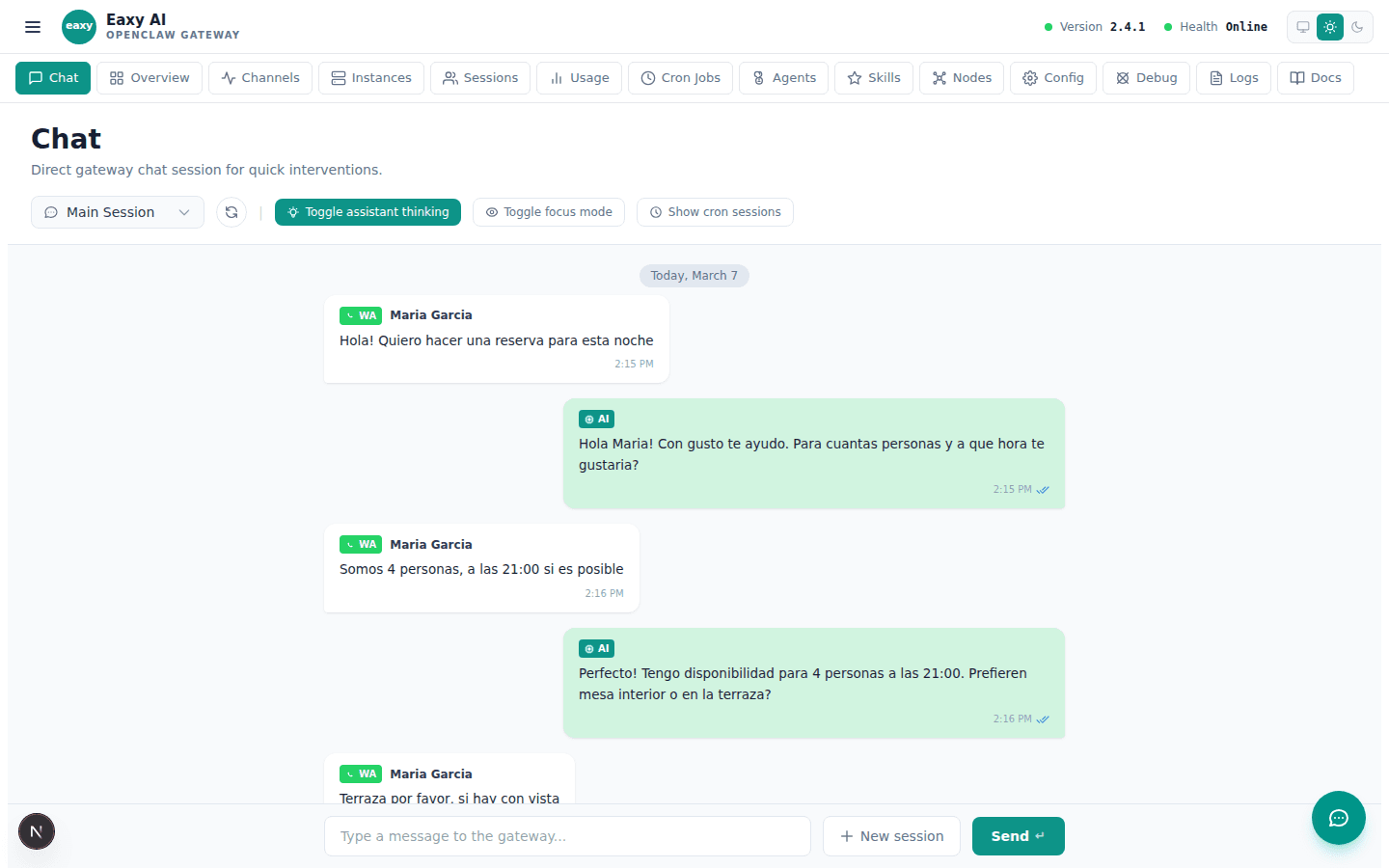
A ready-to-buy support setup that bundles the right skills, channels, and escalation path.
One of the clearest pages for showing practical value to non-technical buyers.

Explain the buyer path: what Eaxy sets up, what the client provides, and how the WhatsApp flow goes live.
Use the School page as the decision layer, then let Eaxy handle the operational setup and final launch path.
Use the page above to evaluate the fit. Use the CTA below when you want Eaxy to handle the managed rollout.